Important information about your lodgement location
From 27 July 2026, parcels lodged from a location that is in a different zone to the nominated 'Send From' address (return address) may incur additional charges due to a zone misdeclaration. If the actual lodgement zone does not match the declared lodgement zone, any discrepancies in postage will be charged to your MyPost Business account. The parcel will still be delivered.
Getting your postage right first time: Automatic discrepancy detection
Use the appropriate packaging
Pack it well
Use the correct label
Declare the correct weight, dimensions and lodgement zone
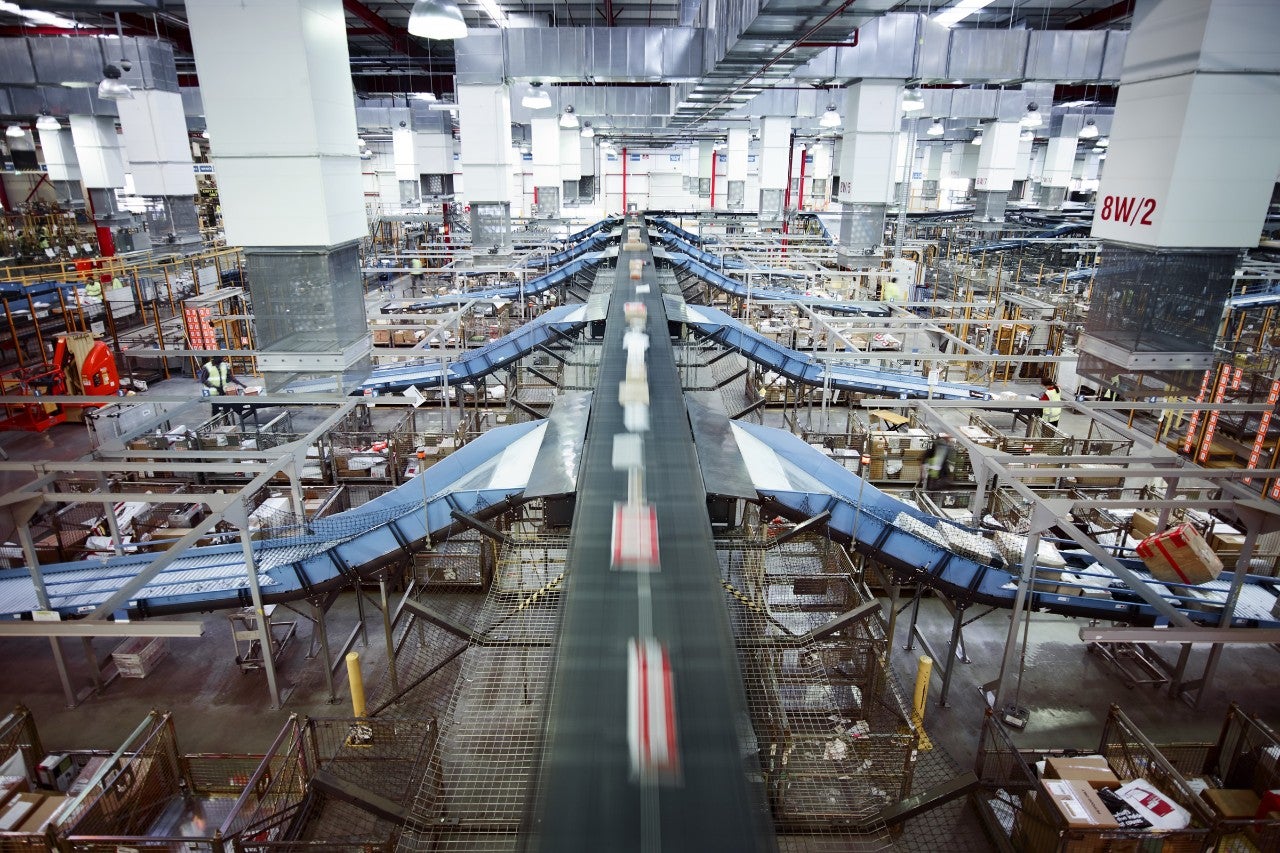
Our parcel processing machines and scanners automatically detect if there are any differences between the postage you have paid for posting your item, and what the correct postage should be. This is to ensure timely delivery to your customers, and that all customers are paying the correct rate for the delivery of items.
If we identify any items sent with underpaid postage, we’ll notify you of the discrepancies, and send you details on how to view and pay the postage.
Our guide below explains how parcel information is checked after lodgement, what can change the final price, how to reduce avoidable adjustments, and what to do if you believe a charge is incorrect.
How it works
MyPost Business is a self-service sending system. When you create an order or label, you provide information about the parcel. As the parcel moves through the network, automated equipment checks various attributes such as but not limited to package type, outer dimensions (cubic), weight and lodgement zone, comparing them with the information you provided.
Declare
Select the packaging type, enter the outer dimensions and weight of the packed parcel, then select the service and speed. Ensure you enter the correct ‘To’ and ‘From’ postcodes for accurate assessments.
Lodge
Use the correct label for your packaging and check your lodgement location is in the same zone as your declared ‘From’ postcode, then lodge the parcel.
Detect and derive
As the parcel moves through the network, automated equipment scans and measures various attributes, such as parcel weight, length, width and height, and lodgement postcode. We derive the smallest and lightest measurements from these scans for accurate postage assessment.
Compare
The system considers the declared information and compares the assessed price with the postage that has already been paid to determine if there is an underpayment
Adjust if required
Reasonable price differences may be waived while a larger difference may result in a postage adjustment, which will be added to your MyPost Business Account.
Review and pay
The item will be delivered and you'll have 28 days to pay the outstanding amount.
Calculate your postage accurately
We’ll notify you if any items have been sent with underpaid postage and charge you any difference.
If you declare you’re using our flat rate satchels or boxes, we’ll be checking that measurements correspond to that packaging size, and whether the item weighs 5kg or under. When we identify a packaging type ‘misdeclaration’ (where the item dimensions detected differ from that of the Australia Post packaging type declared), an underpaid postage charge will be generated.
What determines the postage cost
Using your own packaging
The postage cost depends on four main attributes:
- Size: the outside length, width and height of the fully packed parcel
- Weight: the physical weight of the fully packed parcel
- Speed: the delivery service selected
- Distance: the origin and destination for distance-based products
The postage price for your own packaging may be based on actual (physical) weight or cubic weight, whichever is greater.
Cubic weight is a way of accounting for the space a parcel occupies. For example, if a parcel physically weighs 10 kg but has a cubic weight of 15 kg, pricing is assessed on15 kg.
Cubic weight calculations are only used for parcels weighing more than 1kg. If your parcel weighs less than 1kg, you will still need to enter its dimensions, but the postage price will be based on actual weight.
Using Australia Post packaging
You can only declare Australia Post packaging if you are using the qualifying MyPost Business flat rate packaging. For any other packaging, including yours or other Australia Post packaging, you must choose ‘your own packaging’ when prompted.
The postage cost will be based on the size of the Australia Post packaging used.
If your item qualifies for flat rate postage, you only need to select the package size for your Australia Post box or satchel, and will not need to enter weight or dimensions.
Items weighing more than 5kg will not be eligible for flat rate postage.
| Australia Post eligible flat-rate packaging | Your own packaging |
|---|---|
A standard national rate can apply for flat rate packaging if weight meets the eligible product rules. This may not always be the most price-effective option but offers price certainty at checkout for your customer. | Postage cost may vary according to size, weight, speed and distance. |
| Can provide greater upfront price certainty for eligible items. | Can offer flexibility and may be more economical for some sizes and shorter distances. |
| Australia Post-branded packaging. | Allows your own business packaging and branding. |
| Use an eligible packaging item, keep within the limits of the packaging item, and use the matching label. | Select "Own Packaging" and enter accurate maximum outside dimensions and total packed weight. |
| Price adjustment triggers include overfilling, loose string, tape or flaps, using a label for a different packaging size, or moving an Australia Post label onto your own box. | Prices may be adjusted if the dimensions or weight entered are lower than those detected, packaging is loose or bulging or the wrong packaging type is used. |
| Using Australia Post flat rate packaging, you're less likely to misdeclare postage unless your parcel weighs more than 5kg. | Using your own packaging, misdeclarations could be more common if your information or measurements provided are not accurate. |
Tips to avoid underpaid postage
Do not use a label intended for an Australia Post satchel or box on your own packaging. If you are using your own packaging, please declare this correctly. Only declare Australia Post packaging if you are using flat rate satchels or boxes, and ensure you select the correct size: XS, S, M, L or XL.
The dimensions of your item are important to help us work out your postage based on how much space will be required to transport your item. It’s important that you closely measure the actual item’s maximum outer measurements with a ruler or measuring tape. If using eligible Australia Post packaging, make sure the contents fit properly and do not alter or overfill the packaging.
If using our flat rate packaging, your parcel must not exceed 5kg to be eligible for the flat rate postage. Our scales will detect any items over 5kgs and calculate the difference in postage using pricing for own packaging. Make sure you accurately select the size of the packaging (extra small, small, medium, large or extra-large) you’re using when purchasing your postage in MyPost Business.
The dimensions of your item are important to help us work out your postage based on how much space will be required to transport your item. It’s important that you closely measure the actual item’s maximum outer measurements with a ruler or measuring tape.
- Measure and weigh only after the parcel is fully packed and sealed.
- Measure the outside of the parcel, not the internal printed dimensions of a box.
- Measure the maximum length, width and height, including bulges, loose edges, handles or protrusions.
- Use a ruler or tape measure and enter measurements to the closest mm where possible.Use scales to weigh the package once it’s filled, taped up and labelled. .
- Pack firmly so the parcel keeps its shape as it moves across conveyors and through sorting equipment.
- Tape loose flaps down and remove or cover old labels and barcodes.
- Make sure the selected label type and size match the packaging used.
A soft satchel or loosely packed box can change shape in transit. The scanning system uses the maximum outside dimensions that it detects, so a bulge can affect the assessed size.
To ensure your postage is calculated correctly, please lodge your parcels from the same zone as your declared 'Send From' address. Our systems use the lodgement location to determine the lodgement zone and compare it with the zone linked to your declared return address. If these zones do not match, discrepancies in postage charges may apply and be charged to your MyPost Business Account.
When an underpaid postage adjustment may occur
An adjustment may be required when our parcel assessment results in a higher postage price than the amount paid at lodgement. Common reasons include:
- The packed parcel is heavier than declared.
- The outside dimensions are larger than declared.
- Cubic weight is greater than physical weight for parcels using your own packaging.
- The packaging type selected does not match the packaging used.
- An Australia Post packaging label is used on your own packaging, or a label for one size is used on another size.
- The parcel is loose, bulging or changes shape (e.g. paper-based packaging), increasing the maximum detected dimensions.
- The parcel is lodged in a zone different to the zone in the ‘From’ address
If you receive an adjustment
| Action | What to do |
|---|---|
| Review | Check the article details, declared packaging, lodgement zone, dimensions and weight against your records. |
| Compare | Look at the documented fully packed outside measurements and confirm the label matches the packaging (and size) used. |
| Decide | If the adjustment appears correct, pay it within the timeframe shown. If you believe it is incorrect, raise a dispute via the MPB support portal. |
| Dispute | MyPost Business customers can raise a dispute using our live chat or enquiry form on the MyPost Business Support Portal or contact our business support team on 13 11 18 (Monday to Friday, 8am to 6pm AEST). A dispute can be raised for payments that have already been made or are pending. Include the following information so we can better assist you:
|
| Assessment | We will review the matter to validate or cancel the charge. Payment is not required while a dispute is being assessed, unless a resolution is not reached within 28 days of the dispute being raised. |
| Outcome | We'll advise you of the result. If an error is identified, a correction or refund may be applied. |
Watch this video to view underpaid postage identified in MyPost Business
Read transcript
Video: White text on a red screen reads, "Underpaid parcel in MyPost Business." The Australia Post logo sits in the bottom left corner.
Audio: Voiceover: This video will explain what to do if you have an underpaid parcel identified in MyPost Business.
Video: The Australia Post logo sits in the bottom right corner of the video. A woman uses the MyPost Business website. A conveyor belt carries parcels through a scanner. In a warehouse, some parcels slide from conveyor belts into baskets. A parcel's dimensions are entered into a website.
Audio: Voiceover: As a parcel travels through our network, it's checked by our dimension weight scanning technology. These scanners are part of our automated sortation process that allows Australia Post to measure and record the actual dimensions and physical weight of the parcel. The parcel details detected are then compared to what has been declared when the label was purchased.
Video: A box is labelled, "Shipping Box, 300mm x 300mm x 300mm." A woman measures the length, width and height of a large bulky envelope. A scale reads 2.5.
Audio: Voiceover: It's important to note that any dimensions printed on the outside of packaging are often the internal dimensions. To find the accurate dimensions of your item, we recommend you use a ruler or tape measure to measure your parcels, and scales to weigh your item.
Video: A bulky envelope is tied to a large box with lots of string. An envelope is stretched around its contents, its flap is only partially sealed. A shipping box is tied with a glittery ribbon and bow. A shopping bag's handles stick out from a taped-up shipping box. A conveyor belt transports parcels. An Australia Post driver loads parcels into a red van, then drives from the warehouse. The van is decorated with the colourful Indigenous decal.
Audio: Voiceover: Avoid any packaging with loose straps, flaps, ribbons, strings or handles as this may impact the cubic assessment of your parcels when processed on our automated sorting machines. At Australia Post, we use both the parcel's weight and its external dimensions to calculate the cost of postage and understand how much space a parcel will take up in our vehicles.
Video: On an Australia Post webpage, the woman examines the range of flat rate satchels. On the parcel details page, a dropdown menu lists the flat rate packaging options.
Audio: Voiceover: If you're using one of the Australia Post flat rate satchels or boxes, you're not required to enter the parcel's weight or dimensions as long as your packed item weighs under 5 kilos. Simply select the corresponding size of the flat rate satchel or box that is displayed on your packaging.
Video: Parcels ride on conveyor belts, passing through a scanner. The woman checks a list of underpaid postage in the Australia Post website. She finishes typing, then smiles. A MyPost Business email is headed "Items with underpaid postage." In a MyPost Business account, an orange underpaid postage notification banner sits at the top of the page. It includes a link that reads, "Review and pay". On a page headed 'Underpaid postage' a list titled 'Due for payment' has four columns headed 'Tracking Number', 'Due Date', 'Amount Due', and a 'Pay' button. The first three columns are highlighted in turn.
Audio: Voiceover: If the parcel's detected weight or dimensions are found to be different to what was originally declared, the parcel will still be processed for delivery. When a discrepancy is found, you will be notified of the underpaid postage through your MyPost Business account and the sender of the parcel will be notified by email. As the sender, you can log into your MyPost Business account to review the details of your underpaid postage article. Click on 'Review and pay' in the banner at the top of the page. You will be taken to your Underpaid Postage section. Under the 'Due for payment' tab, you can see any parcels that have been detected with an underpayment. This will show your underpaid parcels grouped by a payment due date. You'll also be able to access the parcel tracking number and the amount due. Video: In the 'Underpaid postage' list, a drop-down arrow to the far right reveals a 'Discrepancy details' box which lists sets of parcel measurements under 'Entered As' and 'We Detected'.
Audio: Voiceover: For more information on why an article has been identified as underpaid, click on the drop-down arrow. Here you can view what was originally entered versus what we detected.
Video: A cursor clicks boxes on the far left of the Underpaid postage list, then clicks the red Pay total button at the bottom right of the list. A payment page shows payment options. The cursor clicks the red Pay button. A payment options page lists Saved Credit Card, Debit or Credit Card and PayPal. A red pay button is at the bottom left of a payment summary. A customer enters a post office. The staff member behind the counter smiles.
Audio: Voiceover: To pay the outstanding amounts, select the articles you wish to pay for and click 'Pay'. Payment can be made online using a credit card, PayPal or your Australia Post Business credit account. You can also pay outstanding amounts at participating post offices by scanning your MyPost Business QR barcode.
Video: A Payment successful page features a transaction number, a link to the account history and a list titled 'Tips for next time'. The account history link leads to the Previously paid list on the Underpaid postage page. A page titled 'History' includes a list of transaction and the link 'View previously paid discrepancies' which leads to the Previously paid list.
Audio: Voiceover: When payment has been made, you'll receive a transaction number. You can view the details of the transaction by clicking on 'account history' or by navigating to the History tab in MyPost Business and clicking on 'View previously paid discrepancies'. You'll then be able to view the details by clicking on 'Previously paid'.
Video: The notification banner in MyPost Business is now red and reads, "Account on hold," and includes a 'Pay now' link.
Audio: Voiceover: If payment is not made by the due date, your MyPost Business account will be put on hold. This means you won't be able to create any new labels or purchase postage in-store at a post office using your MyPost Business account until the outstanding amount is paid.
Video: On the left side of the MyPost Business Dashboard, a cursor clicks 'Support' on a list of links. Below a list of ways of contacting help is a 'Get help' button. On a page, a red heading reads, "How can we help today?" Options include "Create an enquiry" and "View FAQs".
Audio: Voiceover: If you have any queries about an underpaid article, please click on the Support tab in your MyPost Business dashboard and select 'Get help'.
Video: The Australia Post logo appears on a red screen.
Toolkits and how-tos
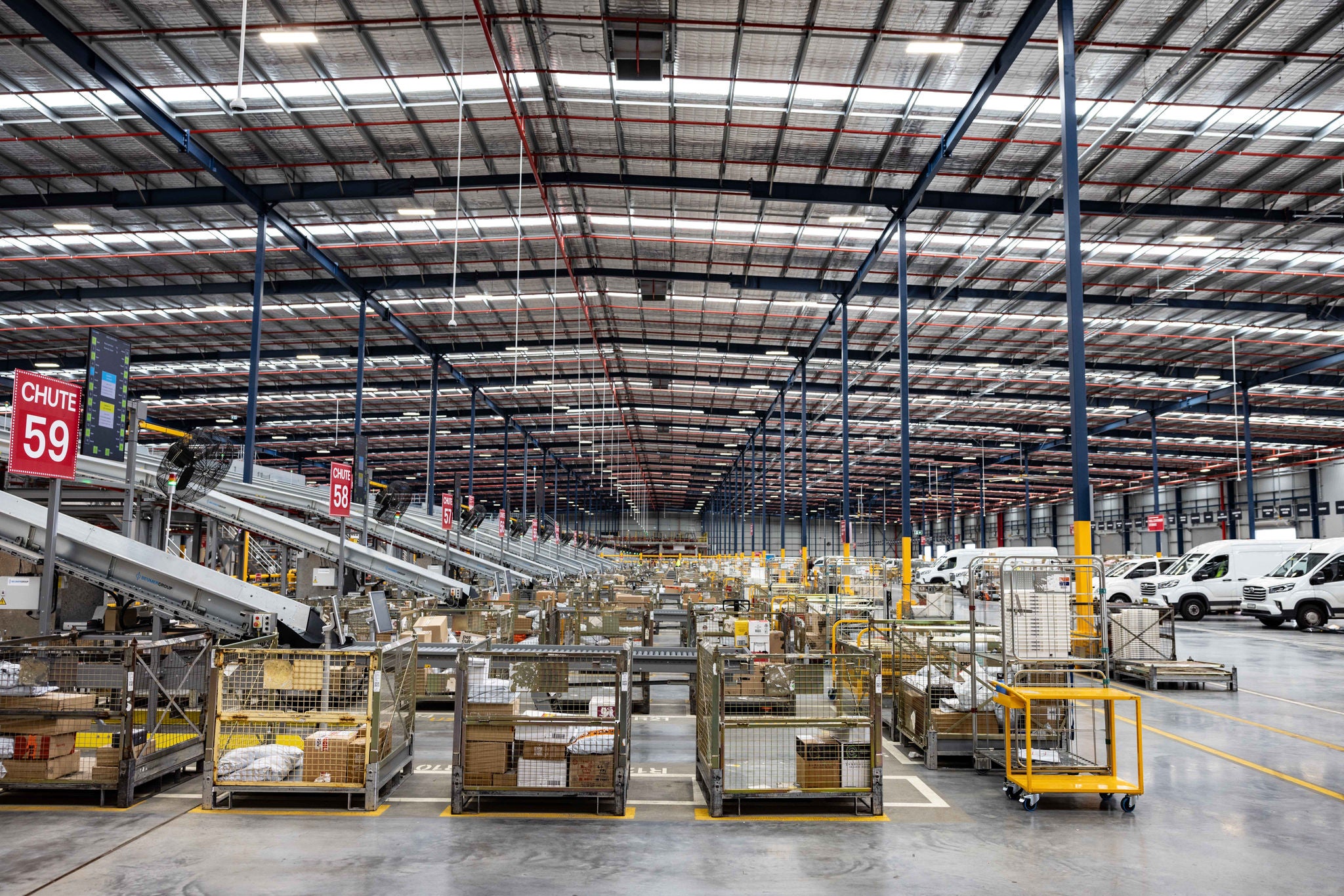
We use both a parcel's weight and its dimensions to determine how much space it will take up in our vehicles.
Accurate measurements helps us ensure your parcel moves through our network as efficiently as possible, and that you’re charged correctly. If you’re using our flat rate packaging, we’ll check that the measurements correspond to the size of that particular packaging, and the item weighs 5kg or under.
Learn how to accurately measure your parcel’s weight and dimensions and calculate the correct postage.